
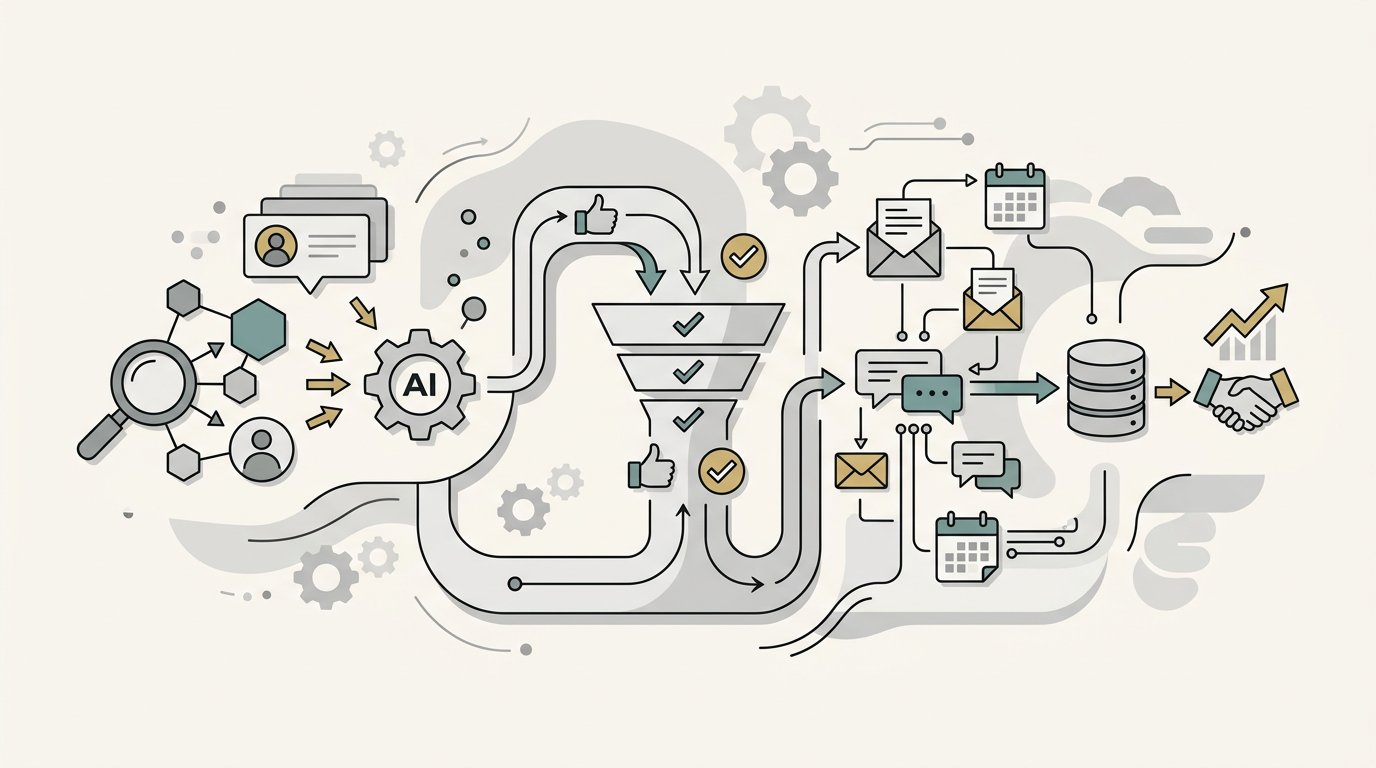
I burned through $700 testing lead generation tools before closing a single deal. The automation worked perfectly. It found leads, enriched them, and sent emails at scale. The problem? I automated garbage. The leads were technically “qualified” by my criteria, but they were never going to buy.
That’s the trap most teams fall into with AI lead generation. They focus on the automation before nailing the fundamentals. This guide will help you avoid that expensive mistake.
Let’s break down how to automate lead generation with AI the right way: a six-step framework that puts strategy before software.
What AI lead generation actually means (and why most teams get it wrong)
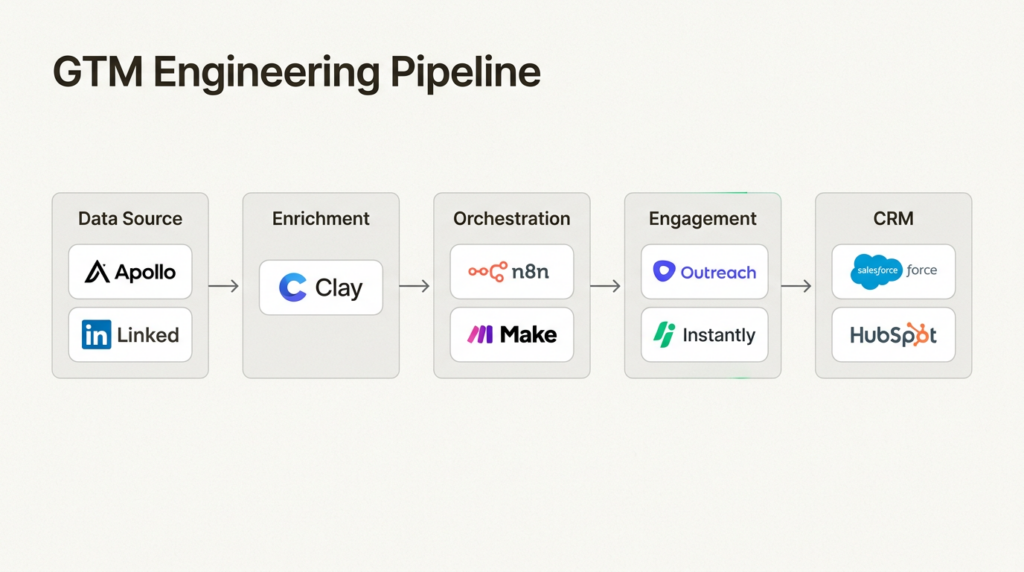
AI lead generation uses machine learning, natural language processing, and predictive analytics to identify, qualify, and engage potential customers. But here’s where teams stumble: they think “AI” means “set it and forget it.”
It doesn’t. AI augments your team, it doesn’t replace the thinking. The best implementations combine automation for repetitive tasks with human judgment for relationship building and complex decisions.
According to Harvard Business Review, companies that contact leads within one hour are nearly 7 times more likely to qualify them. Wait 24 hours and that likelihood drops by over 98%. AI solves the speed problem, but only if you’ve already solved the targeting problem.
The “set it and forget it” mindset is dangerous. AI systems need monitoring, refinement, and human oversight. Without this, you will end up with what I had: a perfectly running machine producing perfectly useless output.
Prerequisites: What you need before automating
Before you buy a single tool, check these boxes:
- A repeatable manual process that converts. If you can’t close deals doing things manually, automation just scales your failure. You need to know your ICP, your messaging, and your conversion path before you automate.
- Clean CRM data (or a plan to clean it). AI is only as good as the data you feed it. Duplicate records, outdated contacts, and inconsistent formatting will poison your automation.
- Defined ICP with concrete criteria. “Mid-market SaaS companies” isn’t enough. You need specific firmographic, behavioral, and intent signals.
- Realistic expectations about human-in-the-loop. The best systems have checkpoints where a real person reviews leads before outreach. Plan for this.
- Budget: $200-2,000/month. This range covers most setups from basic enrichment to full AI agent stacks.
Skip these prerequisites and you are building on quicksand.
Step 1: Define your lead criteria with precision
This is the highest-leverage step and the most commonly rushed. Most teams think they know their ICP. They don’t.
Here’s a framework that actually works: Firmographic + Behavioral + Intent.
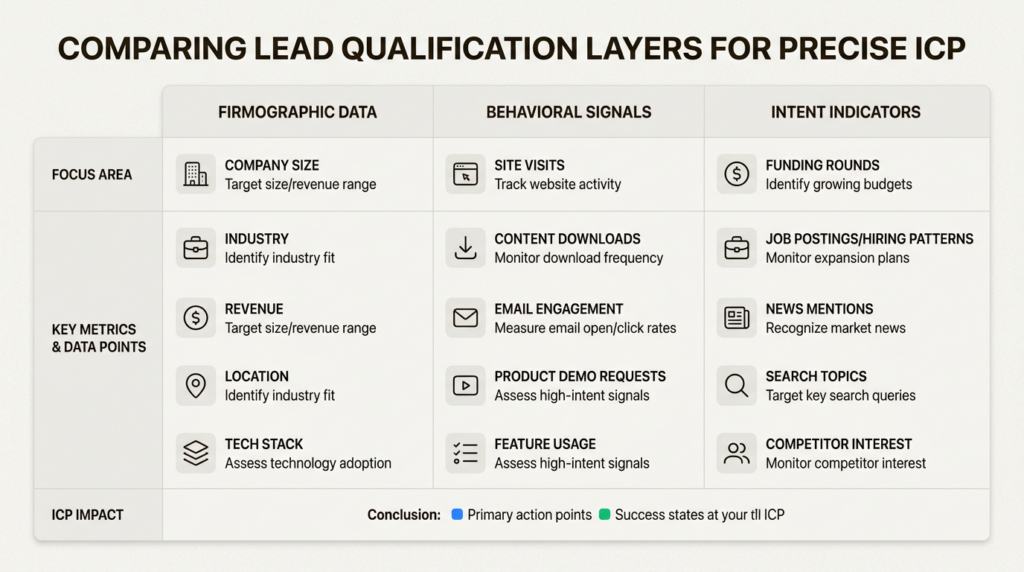
Firmographic criteria (who they are):
- Industry and sub-industry
- Company size (employees and revenue)
- Geography
- Tech stack
- Funding status
Behavioral criteria (what they’ve done):
- Website visits to key pages
- Content downloads
- Email engagement
- Event attendance
Intent signals (what indicates buying readiness):
- Job changes (new decision-makers joining)
- Funding announcements
- Technology changes (installing complementary tools)
- Hiring patterns in relevant departments
The common mistake is casting too wide a net. Start narrow. You can always expand. Use AI to analyze your best existing customers first: what patterns emerge in the data? What do your closed-won deals have in common?
Clay is particularly strong here. Their platform lets you analyze historical customer data to identify shared characteristics, then use those patterns to find similar prospects. OpenAI used Clay to more than double their enrichment coverage from the low 40% to high 80% range.
Step 2: Map your tech stack architecture
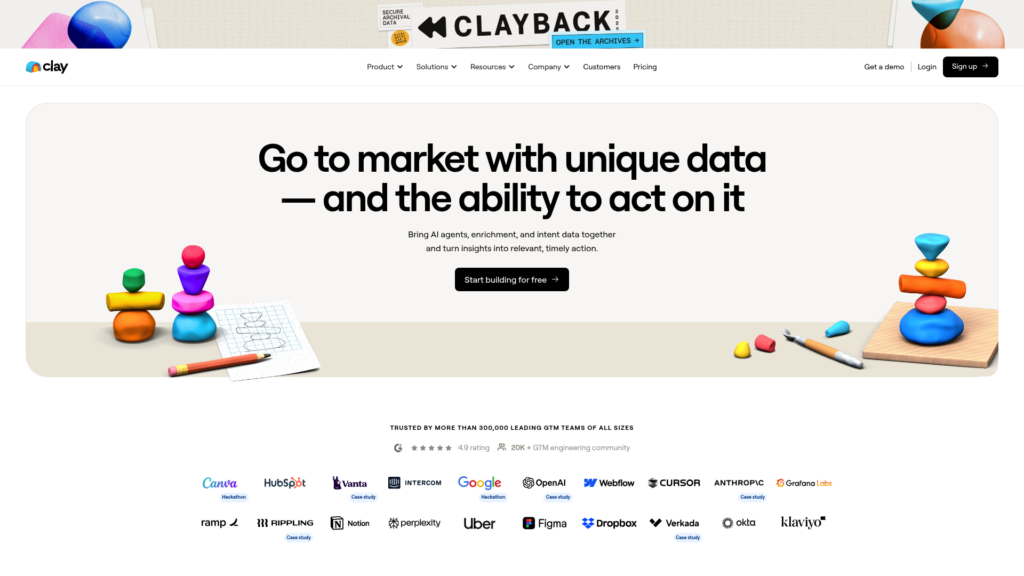
Think of your lead generation stack as a pipeline with five stages: Data Source → Enrichment → Orchestration → Engagement → CRM.
Let’s look at each component and the tools that fit:
Data Sources (where leads come from):
- LinkedIn Sales Navigator for prospecting
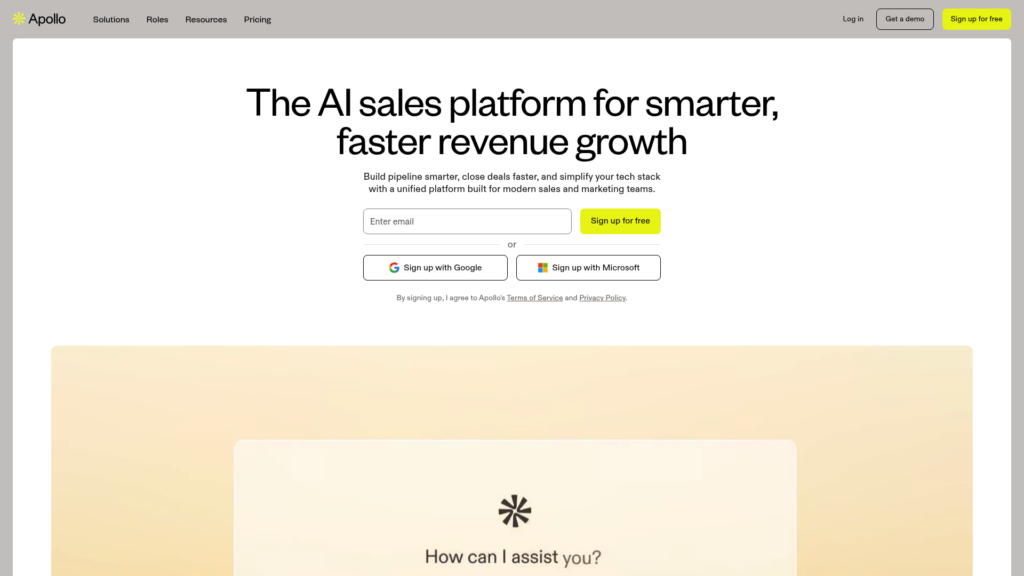
- Apollo for B2B contact database (275M+ contacts)
- Intent data providers like Bombora or G2
- Your own website (visitor identification)
Enrichment (adding context):
- Clay – 150+ data providers, AI research agents
- ZoomInfo or Cognism for enterprise data
- Clearbit (now part of HubSpot)
Orchestration (connecting the pieces):
- n8n – Open-source, fair per-execution pricing
- Make (formerly Integromat)
- Gumloop – Visual AI agent builder
Engagement (the actual outreach):
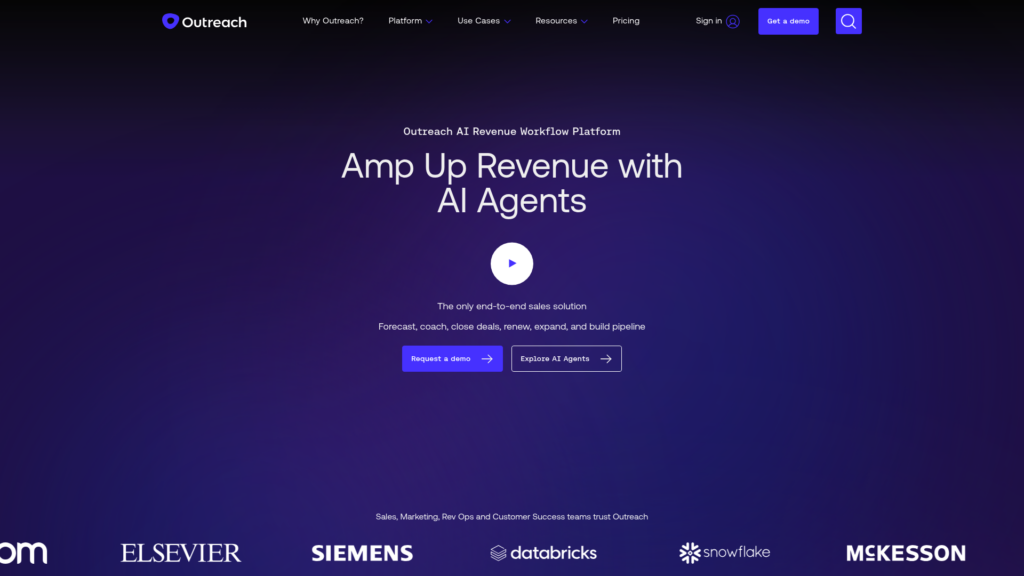
- Outreach – Enterprise sales execution with AI agents
- Apollo – Built-in sequencing
- Instantly – Cold email at scale
AI Agents (the intelligence layer):
- Custom GPTs for specific tasks
- Outreach AI agents for research and deal management
- Gumloop for custom agent building
Here’s the key decision: warehouse-first vs point solutions. Warehouse-first means your data lives in Snowflake, BigQuery, or similar, and you orchestrate from there. Point solutions mean each tool has its own data store and you integrate between them.
For GTM Engineers, I recommend the warehouse-first approach when possible. It reduces “ops debt” (the accumulated cost of maintaining integrations) and gives you a single source of truth. Clay, for example, syncs directly with Snowflake, BigQuery, Databricks, and Postgres.
Step 3: Build your automated workflow
Now we get tactical. The five-stage workflow framework:
1. SourceThis is where leads enter your system. Triggers might be:
- New companies matching your ICP criteria
- Intent signals (funding, job changes, tech installs)
- Website visitors identified by Clearbit or similar
- Form submissions
2. EnrichAdd data from multiple sources. This is where Clay’s waterfall enrichment shines: try Provider A for emails, fall back to Provider B if that fails, use AI research for anything missing.
3. ScoreApply your qualification logic. This can be simple (meets all firmographic criteria = 10 points, intent signal = 5 points) or ML-based (Apollo and Outreach both offer AI lead scoring).
4. RouteAssign leads to the right rep based on territory, industry, or round-robin. Update your CRM with all the enriched data.
5. EngageTrigger outreach sequences. This might be immediate (high-intent leads) or queued for batch processing.
Here’s a concrete example for a B2B SaaS company:
- Source: Apollo identifies companies hiring for “Sales Operations” in the last 30 days
- Enrich: Clay finds decision-makers, validates emails, adds tech stack data
- Score: 10 points for company size match, 5 for hiring signal, 5 for complementary tech detected
- Route: Assign to rep based on territory; create Salesforce opportunity
- Engage: If score >15, trigger personalized email sequence via Outreach
Set up error handling. What happens when an enrichment fails? When an email bounces? Build fallbacks into every step.
Step 4: Implement AI agents for qualification
Let’s clarify the difference between chatbots and AI agents. Chatbots follow scripts. AI agents can reason, make decisions, and take actions autonomously.
For lead generation, AI agents excel at:
- Pre-call research: Pulling together company context, recent news, and relevant talking points
- Email drafting: Writing personalized messages based on prospect data
- Objection handling: Analyzing responses and suggesting counter-arguments
Outreach’s AI agents are the current benchmark here. Their Research Agent saves hours of manual account research by pulling insights from web searches, email communications, and past interactions. The Prospecting Agent can handle autonomous outreach, researching prospects and accounts, then crafting content for sellers or deploying fully autonomous sequences.
But autonomy needs guardrails. Set clear human handoff triggers:
- Prospect asks a complex technical question
- Negative sentiment detected in response
- Prospect requests a meeting or demo
- Deal value exceeds a threshold
The best systems use AI for initial qualification and research, then hand off to humans for the actual relationship building.
Step 5: Personalize at scale (without sounding like a bot)
There’s a personalization spectrum:
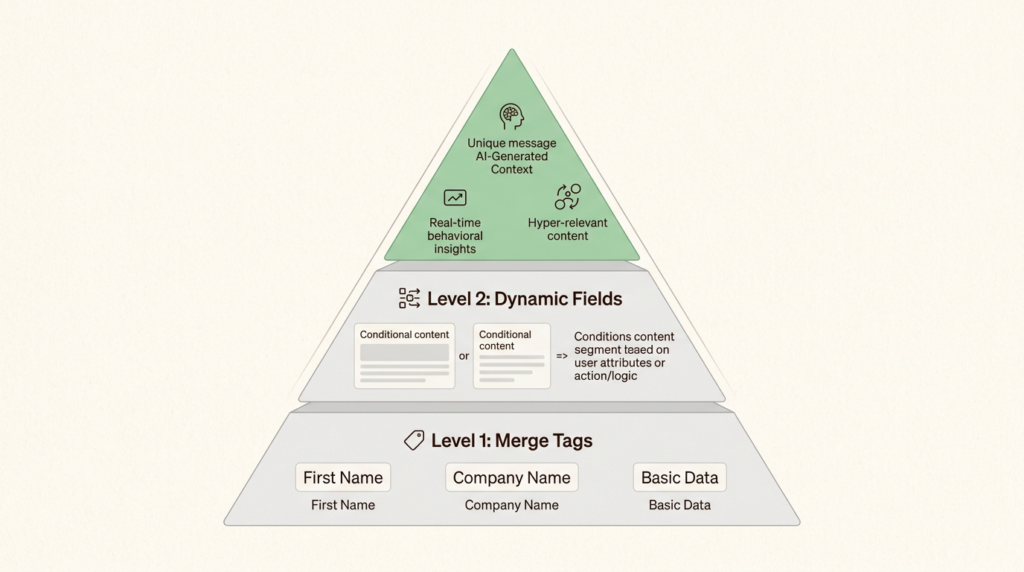
- Level 1: Merge tags (“Hi {{first_name}}”)
- Level 2: Dynamic fields (“I noticed {{company}} just raised {{funding_amount}}”)
- Level 3: AI-generated context (“Given {{company}}’s expansion into {{new_market}}, you might be facing {{inferred_challenge}}”)
Most teams stop at Level 1. That’s a mistake. With tools like Clay and Outreach’s Personalization Agent, Level 2 and 3 are now accessible.
Context signals that actually matter:
- Recent funding (they have budget)
- Key hires (new decision-makers with fresh mandates)
- Tech stack changes (installing complementary or competitive tools)
- Content engagement (what topics interest them)
Prompt engineering matters here. Instead of “Write a cold email to {{first_name}} at {{company}},” try: “You’re a sales rep at [Your Company]. Write a 2-sentence email to {{first_name}}, the new {{title}} at {{company}}. Mention that you noticed {{company}} recently {{recent_news}} and suggest a brief conversation about {{relevant_use_case}}.”
A/B test everything. Subject lines, opening hooks, CTAs. Most platforms make this easy: Apollo has A/Z testing built into their Professional plan and above.
One compliance note: if you’re reaching out to EU prospects, GDPR applies. You need legitimate interest or consent. Document your basis and include unsubscribe links.
Step 6: Measure, iterate, and avoid common pitfalls
Track these metrics:
| Metric | What it tells you |
|---|---|
| Response rate | Is your messaging resonating? |
| Meeting booked rate | Are you reaching the right people? |
| Pipeline generated | Is this driving actual revenue? |
| Cost per qualified lead | Is the ROI positive? |
| Data accuracy rate | Is your enrichment working? |
Set up real-time dashboards. Most tools have this built in, or you can pipe data to a BI tool.
Now, the failure modes to watch for:
Over-automation. When you lose the human touch, prospects notice. If every touchpoint feels robotic, response rates crater. Build in genuine personalization and human checkpoints.
Data quality decay. Data goes stale fast. Job changes, company acquisitions, email bounces. Schedule regular data hygiene: monthly audits, quarterly full re-enrichment.
Tool sprawl. Each new tool adds integration overhead. Before adding another platform, ask: can our existing stack handle this with a workaround? Sometimes a simple Zapier zap beats a new $500/month subscription.
Deliverability and reputation. Send too many emails too fast, and you’ll hit spam folders. Warm up new domains gradually. Use tools like Apollo’s Deliverability Suite or Instantly to monitor sender reputation.
Maintenance schedule:
- Weekly: Review bounce rates, response rates, flag any anomalies
- Monthly: Audit data quality, refresh enrichment, review sequence performance
- Quarterly: Full ICP review, tool stack evaluation, ROI analysis
Start building your AI lead generation system today
Here’s the short version: start with one channel and one ICP segment. Don’t try to automate everything at once.
- Pick your highest-converting manual process
- Document your ICP criteria precisely
- Choose 2-3 tools max (data source + enrichment + engagement)
- Build the workflow with human checkpoints
- Measure and iterate for 30 days before expanding
The teams that get this right treat automation as a multiplier, not a magic bullet. They invest in the strategy first, then layer on technology.
At GTM Engineer Club, we help teams navigate this stack. Whether you’re evaluating Clay vs. Apollo for data enrichment, trying to decide if Outreach’s AI agents justify the price, or looking for the right orchestration layer, our tool comparisons and guides are built by practitioners who’ve run these systems in production.
The future of GTM is engineered, not improvised. Start building your system today.
Frequently Asked Questions
Can I use AI to generate leads if I don’t have a manual process that works yet?
No. Automating a broken process just breaks it faster. Nail the fundamentals manually first. You need to know your ICP, your messaging, and your conversion path before AI can help you scale.
How much should I budget to automate lead generation with AI?
For most teams, $200-2,000/month covers the full stack. At the low end: Apollo Basic ($49) + Clay Launch ($167) = $216/month. At the high end: Outreach (custom pricing, typically $100-200/user) + Clay Growth ($446) + data credits = $1,500-2,000/month for a small team.
What’s the difference between AI lead generation and traditional automation?
Traditional automation follows rigid rules (“if X, then Y”). AI lead generation uses machine learning to adapt: predictive lead scoring that improves over time, natural language generation for personalized outreach, and intent detection that identifies buying signals humans might miss.
Do I need technical skills to automate lead generation with AI?
Not necessarily. Tools like Clay and Gumloop are no-code. But technical skills help when you want custom integrations, data warehouse connections, or advanced orchestration. That’s why we focus on the GTM Engineer role: the hybrid skillset is increasingly valuable.
How do I avoid my AI-generated outreach sounding robotic?
Three things: first, use specific context signals (recent funding, job changes) not generic merge tags. Second, keep it brief; AI tends to over-write. Third, always have a human review a sample before full deployment. If it sounds robotic to you, it will to your prospects.
What are the biggest mistakes teams make when implementing AI lead generation?
The top three: automating before they have product-market fit (so they scale failure), neglecting data quality (garbage in, garbage out), and removing humans entirely from the loop (AI handles volume, humans handle relationships).
Leave a Reply