
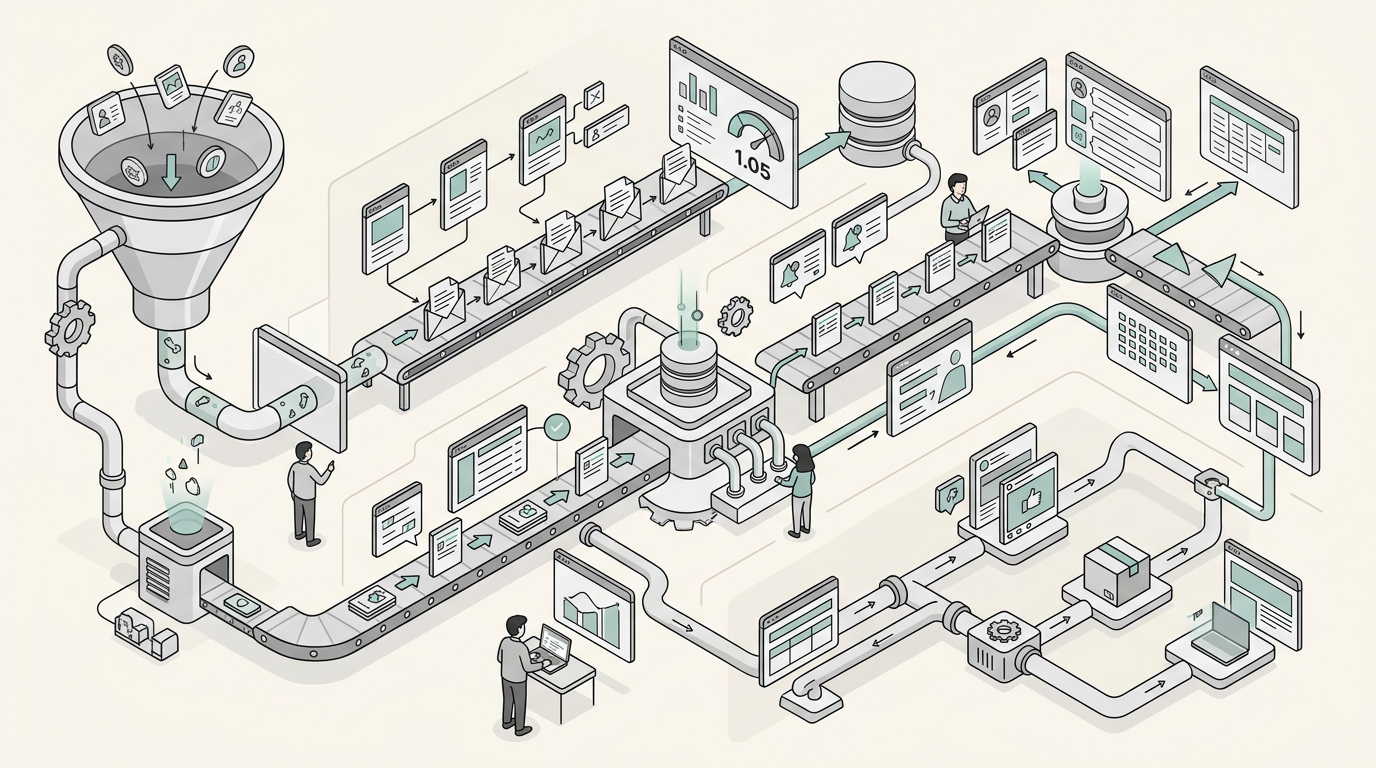
Three years ago, I watched a company blow $50K on a marketing automation platform that sat unused for 8 months. The sales team treated marketing leads like radioactive waste, and the “revolutionary” lead scoring system made them less efficient, not more. Fun times explaining that to the CEO.
But here’s the thing: when marketing automation actually works, the numbers are hard to ignore. Companies that get it right see everything from 340% increases in qualified leads to 45% shorter sales cycles. The problem isn’t the technology. It’s that most companies skip the basics and jump straight to AI-driven personalization when they can’t even handle email segmentation.
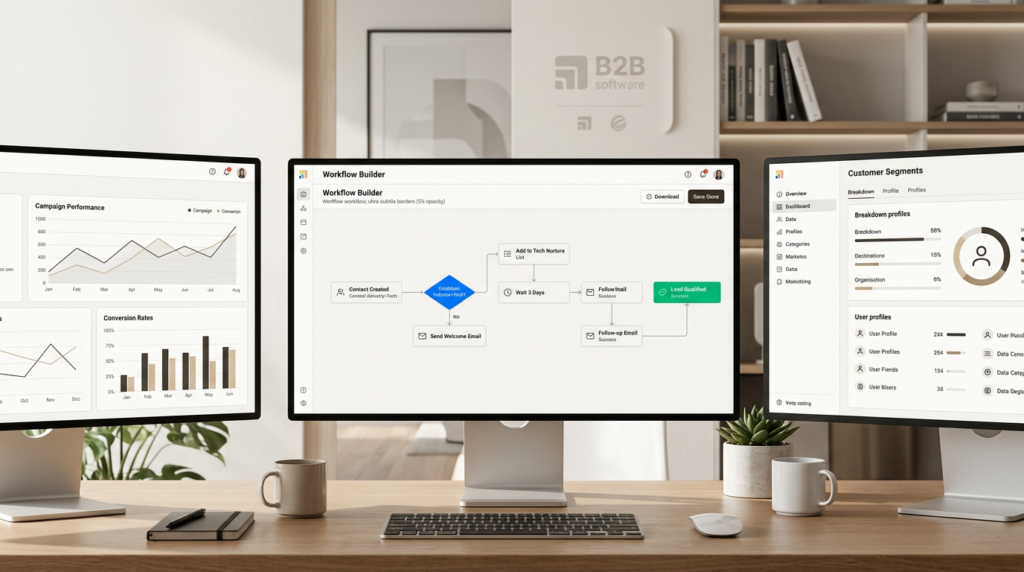
This guide breaks down 12 B2B marketing automation examples that actually deliver results. They’re organized by complexity, from quick wins you can implement this month to warehouse-first workflows that require data engineering. Each includes realistic timelines, tool recommendations, and honest assessments of what it takes to make them work.
What is B2B marketing automation (and what it is not)
B2B marketing automation is software that executes repetitive marketing tasks without manual intervention. We’re talking about welcome emails that trigger on signup, lead scores that update in real-time, CRM records that sync automatically, and social posts that publish on schedule. The software handles the execution so your team can focus on strategy and relationships.
What it does NOT do: replace strategic thinking, creative work, or human relationship building. Automation amplifies good processes. It doesn’t fix broken ones. If your messaging is off or your product-market fit is shaky, automating those messages just spreads the problem faster.
For more on how technical GTM roles approach these systems, see our guide on what GTM Engineers do and the skills they need to implement them effectively.
From a GTM Engineer perspective, think of automation as data orchestration. It’s about routing the right data to the right systems at the right time. A welcome email isn’t just an email. It’s a webhook from your form, a contact creation in your CRM, a lead score calculation, and an email send, all happening in sequence without human intervention.
The landscape has evolved significantly. Traditional rule-based automation (if X happens, do Y) is being supplemented with AI-native workflows where LLMs make judgment calls. Instead of routing leads based on static territory rules, AI can analyze the lead’s company description, recent news, and behavior to suggest the best-fit rep. But that sophistication comes with complexity, which is why we’re starting with the basics.
For a deeper look at how AI is transforming go-to-market strategies, check out our analysis of AI-driven GTM strategies.
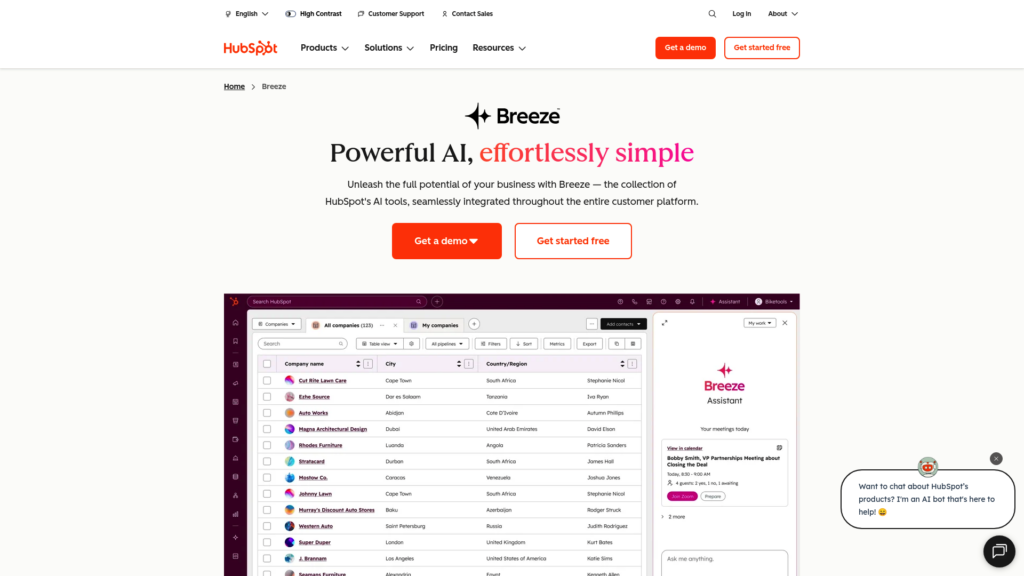
Beginner: Quick wins you can implement this month
1. Welcome email sequences
A welcome email sequence is an automated series triggered when someone signs up for your newsletter, downloads content, or requests a demo. The first email sends immediately, with follow-ups spaced over days or weeks.
Why this works: welcome emails generate 320% more revenue per email than other promotional emails, according to Invesp. The timing is everything. Someone just raised their hand and said they’re interested. Strike while the iron is hot.
Implementation is straightforward. Most marketing automation platforms (HubSpot, ActiveCampaign, Marketo) handle this with visual workflow builders. You’re looking at 1-2 weeks to set up, including writing the emails and testing the flow.
The data you need is minimal: email address at minimum, plus company size and use case if you want to segment. Start simple. One sequence for everyone beats three half-baked sequences that never get finished. For more on building effective sequences, check out our guide to AI lead generation.
Tools to consider: HubSpot Marketing Hub includes this in their free tier. ActiveCampaign is solid for mid-market. If you’re already using Salesforce, Pardot integrates natively. For more options, see our guide to the best GTM tools.
2. Lead scoring basics
Lead scoring is a point-based system that ranks leads by their fit for your product and their engagement level. Demographic factors (job title, company size, industry) combine with behavioral signals (page views, email opens, content downloads) to produce a score.
A basic scoring model might look like this: pricing page visit (+15 points), corporate email domain (+10), job seeker browsing your careers page (-10), C-level title (+20), email click (+5). When a lead hits your threshold (typically 50-75 points for B2B), they get passed to sales.
The key is sales alignment. Marketing and sales need to agree on what constitutes a qualified lead. If sales gets leads they don’t want, they’ll stop following up, and your automation becomes theater. For more on aligning these functions, see our guide on GTM Engineer vs Sales Engineer vs Solutions Engineer.
Implementation takes 2-3 weeks including the sales alignment meetings. Most MAPs have lead scoring built in. HubSpot’s predictive lead scoring uses machine learning to suggest scoring rules based on your historical conversion data, which is a nice starting point if you’ve got enough data.
3. Automated meeting reminders
Meeting no-shows are revenue killers. Automated reminders via email and SMS reduce no-show rates by 30-40% according to research. The workflow is simple: when a meeting is booked, schedule reminder messages at strategic intervals.
Best practice is a three-touch sequence: 24 hours before (gives time to reschedule), 1 hour before (catches calendar conflicts), and 5 minutes before (catches the “oh crap” moments). Include rescheduling links in every message. Making it easy to reschedule beats a no-show every time.
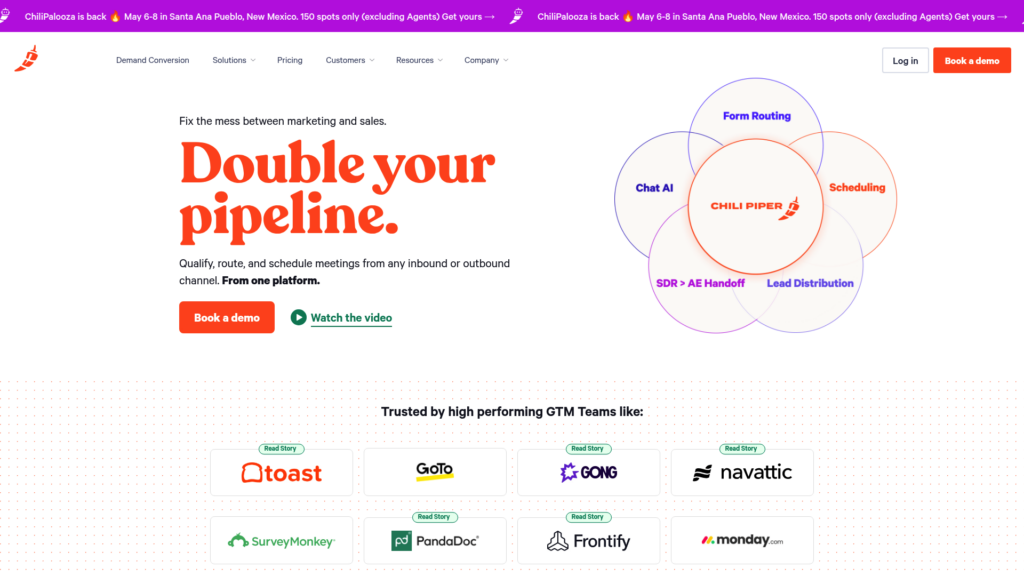
Tools: Chili Piper specializes in this with revenue acceleration features. Calendly handles the basics well. HubSpot Meetings integrates natively if you’re already in that ecosystem. For more scheduling solutions, see our Clay alternatives guide.
Implementation is quick, 1-2 weeks including template writing and testing. The ROI is immediate. Every meeting that shows up instead of no-showing is potential pipeline. Looking for more ways to optimize your GTM stack? Check out our GTM Engineer job resources.
Intermediate: Workflows that drive pipeline
4. Multi-touch nurturing campaigns
Not every lead is ready to buy today. Nurturing campaigns keep you top-of-mind while delivering value until they’re ready. The automation triggers based on behavior: someone downloads an ebook, they enter a 4-email educational sequence, and if they engage, they get a demo CTA.
Segmentation matters. A lead from a Fortune 500 company needs different content than a Series A startup. A VP of Engineering cares about different things than a CMO. Most teams segment by persona, industry, or funnel stage.
The case study numbers are compelling: one SaaS company saw a 340% increase in marketing qualified leads and a 45% reduction in sales cycle length after implementing behavior-triggered nurturing, according to Forrester Research. The key was mapping content to specific buyer journey stages rather than blasting everyone with the same sequence.
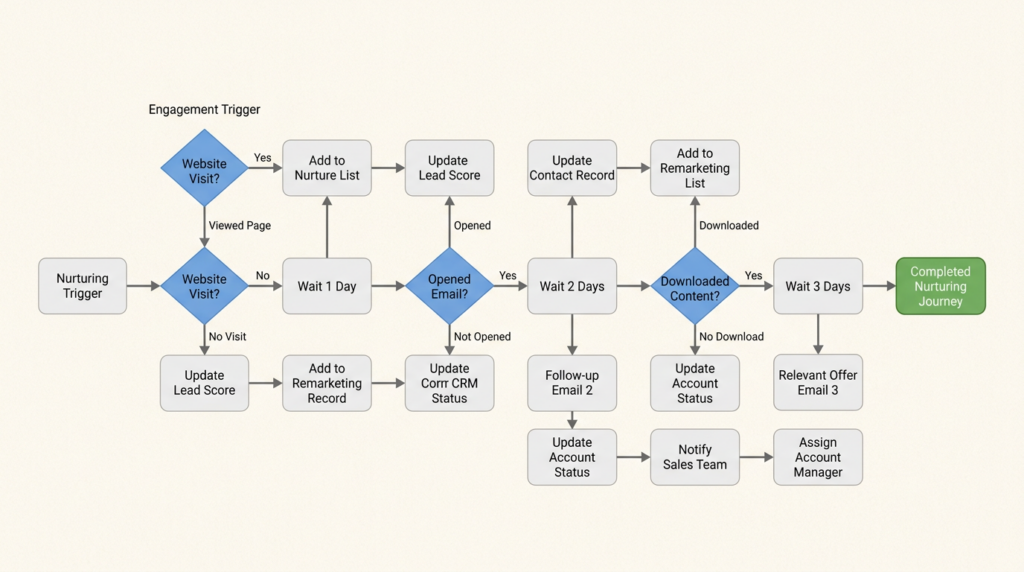
Implementation takes 3-4 weeks including content creation. You’ll need multiple emails per segment, landing pages, and tracking setup. The technical part is easy. The content part takes time.
5. Website visitor identification and outreach
Most website visitors remain anonymous. Visitor identification tools deanonymize them by matching IP addresses to company databases. When a target account visits your site, you know about it instantly.
The workflow looks like this: anonymous visit happens, IP gets matched to company database, company gets enriched with firmographic data, if it’s an ICP match, the account gets pushed to CRM and an SDR sequence triggers automatically.
ZoomInfo WebSights is the leader here with 220M+ professional profiles. 6sense adds predictive intent scoring. Clearbit is lighter weight and easier to implement.
Implementation is 2-4 weeks with CRM integration. The data quality varies. Not every visitor can be identified, and not every identified company is worth pursuing. Set expectations accordingly.
6. Progressive profiling and dynamic content
Progressive profiling gradually collects more data about leads over time instead of hitting them with a 15-field form upfront. Dynamic content changes what visitors see based on what you know about them.
A returning visitor from a healthcare company might see different CTAs, case studies, and messaging than a first-time visitor from a financial services firm. The content adapts to what matters to them.
One manufacturing equipment supplier saw a 156% increase in average deal size after implementing progressive profiling and dynamic content, according to MarketingSherpa. Their generic content wasn’t resonating with anyone. Personalized experiences converted better.
Technical requirements: you need a marketing automation platform with CMS integration. HubSpot handles this well with smart content. Marketo has robust capabilities for enterprise. Implementation is 4-6 weeks including content creation for each segment.
7. NPS-triggered workflows
Net Promoter Score surveys measure customer loyalty, but the real value is in what happens after. NPS-triggered workflows automate responses based on the score someone gives you.
Promoters (9-10) get automated invites to your referral program, review requests, or case study participation. Detractors (0-6) trigger alerts to customer success and escalation workflows. Passives (7-8) might get a follow-up asking what would make them promoters.
The goal is closing the feedback loop automatically. Happy customers become advocates before they forget about you. Unhappy customers get attention before they churn. Looking for the right tools? See our roundup of the 20 best GTM tools for 2026.
Implementation is 1-2 weeks with survey tool integration. Most MAPs can trigger workflows based on survey responses. Delighted and SurveyMonkey integrate well with major platforms.
Advanced: AI-native and integrated workflows
8. Lead routing with territory and skill-based assignment
Basic round-robin routing (assign leads alphabetically) works until it doesn’t. Territory-based routing considers geography, company size, and industry. Skill-based routing matches leads to reps with relevant expertise. Load balancing factors in how many opportunities each rep already has.
Advanced routing might look like this: enterprise financial services lead comes in, it routes to the financial services specialist in the Northeast region, but only if they have fewer than 15 active opportunities. If they’re at capacity, it goes to the backup rep with the next-best skills match.
Chili Piper Distro specializes in complex routing with real-time CRM sync. LeanData is popular for Salesforce-native routing. HubSpot Workflows handles basic to intermediate routing.
Implementation is 4-8 weeks including sales ops alignment. You need to document your routing rules, configure them in the tool, and train the team on how it works. When routing breaks, sales stops trusting marketing leads.
9. Social media monitoring and sentiment analysis
AI-powered social monitoring tracks brand mentions across Reddit, X, LinkedIn, and other platforms. But unlike basic keyword alerts, AI filters for relevance and sentiment, then routes posts to the appropriate team.
Feature requests go to product. Complaints go to support. Praise goes to marketing for amplification. Competitive mentions go to sales enablement. The AI learns what matters and what doesn’t, reducing noise.
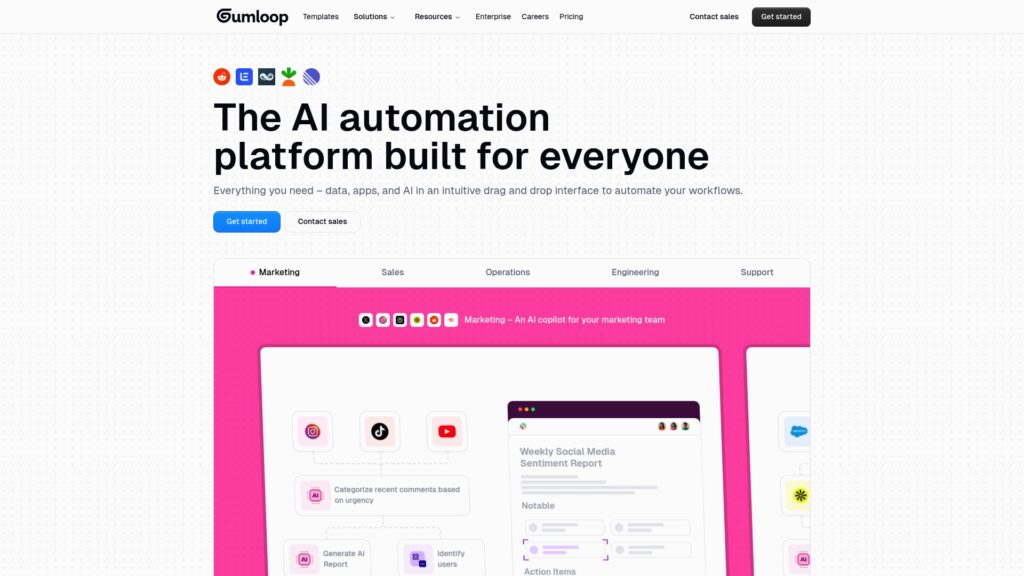
Gumloop is built for this kind of AI-native workflow. Brandwatch is the enterprise standard. Sprout Social balances monitoring with publishing.
Implementation is 2-4 weeks including AI training. You need to teach the system what your brand sounds like, what competitors look like, and what constitutes a relevant mention versus noise. Expect to refine the rules over the first few months.
10. Chatbot-driven lead qualification
Modern chatbots aren’t just FAQ machines. They qualify leads through conversation, book meetings, and route hot prospects to sales in real-time. The best ones integrate with your CRM, update lead scores, and trigger automation based on conversation outcomes.
Advanced capabilities include intent classification (figuring out what the visitor actually wants), dynamic responses based on CRM data, and seamless handoff to humans when appropriate. A well-designed bot resolves 40-60% of chats without human intervention.
Drift pioneered conversational marketing. HubSpot Chatbot integrates natively with their CRM. Intercom balances chat with customer support.
Implementation is 4-6 weeks including conversation design. Writing chatbot scripts is harder than it looks. You need to anticipate user questions, handle edge cases gracefully, and know when to escalate to humans.
Expert: Warehouse-first and predictive automation
11. Reverse ETL-driven personalization
Reverse ETL tools (Hightouch, Census) sync data from your warehouse back to operational tools. This unlocks personalization based on product usage, billing data, and other warehouse-native information that never lived in your marketing automation platform.
Use cases include: product usage triggers (high engagement → expansion campaign), churn risk alerts (declining usage → retention sequence), and expansion signals (new team members added → upsell workflow).
The architecture is warehouse (Snowflake, BigQuery) → Reverse ETL → marketing automation platform. Your data team owns the transformation logic in dbt. Marketing owns the campaign execution. Both work with the same source of truth.
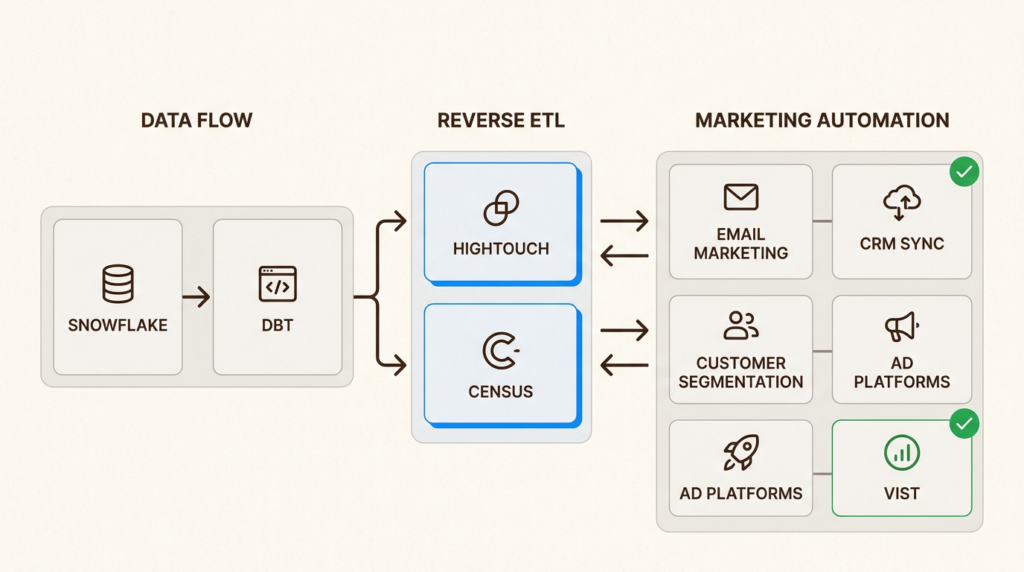
Tools: Hightouch and Census are the leaders. Implementation is 8-12 weeks with data engineering. This requires warehouse infrastructure, data modeling, and API integrations. Not a beginner project.
12. Predictive lead scoring with ML
Rule-based scoring (if pricing page, add 15 points) works until it doesn’t. Machine learning models analyze hundreds of signals simultaneously: historical conversions, firmographics, behavioral patterns, engagement history, and more. They find patterns humans miss and self-improve over time.
The difference is significant. Rule-based scoring might identify that pricing page views correlate with conversion. ML might discover that pricing page views combined with specific job titles, company growth rates, and email engagement patterns predict conversion even better.
6sense specializes in predictive analytics for ABM. MadKudu focuses on lead scoring for SaaS. Custom models built in Python are an option if you’ve got data science resources.
Implementation is 12-16 weeks including model training. You need clean historical data, data science expertise, and integration with your CRM and MAP. The payoff is significant but the investment is real.
Implementation reality check: TTV and TCO by complexity
Here’s the honest assessment of what each example takes to implement and the return you can expect:
| Automation Example | Implementation Time | Technical Complexity | Time to ROI | Monthly Cost |
|---|---|---|---|---|
| Welcome emails | 1-2 weeks | Low | 30 days | $0-100 |
| Lead scoring basics | 2-3 weeks | Low | 60 days | Included in MAP |
| Meeting reminders | 1-2 weeks | Low | Immediate | $20-50/user |
| Nurturing campaigns | 3-4 weeks | Low-Medium | 60-90 days | $200-900 |
| Visitor identification | 2-4 weeks | Medium | 30-60 days | $500-2,000 |
| Progressive profiling | 4-6 weeks | Medium | 60-90 days | Included in MAP |
| NPS workflows | 1-2 weeks | Low | 30 days | $50-200 |
| Advanced lead routing | 4-8 weeks | Medium-High | 60-90 days | $30-35/user |
| Social monitoring | 2-4 weeks | Medium | 60-120 days | $500-2,000 |
| Chatbot qualification | 4-6 weeks | Medium | 60-90 days | $200-1,000 |
| Reverse ETL | 8-12 weeks | High | 90-180 days | $500-2,000 |
| Predictive scoring | 12-16 weeks | Very High | 180-360 days | $2,000+ |
The pattern is clear: start simple or prepare to fail. I’ve seen too many companies attempt AI-driven personalization when they can’t get email segmentation right. Master the basics, prove ROI, then level up.
Choosing the right marketing automation stack for your GTM team
Platform selection depends on your team size, technical resources, and integration complexity. All-in-one platforms like HubSpot work well for teams that want everything in one place. Best-of-breed point solutions (Chili Piper for routing, ZoomInfo for data, etc.) give you more flexibility but require integration work.
The warehouse-first question matters more than ever. If you’re already investing in Snowflake and dbt, building automation on top of your warehouse with Reverse ETL might make more sense than buying a traditional marketing automation platform. You get more flexibility and a single source of truth.
Here’s my recommendation: focus on fixing one specific problem, not automating everything at once. Pick the automation example from this list that addresses your biggest bottleneck. Implement it well. Prove ROI. Then move to the next one.
The companies that succeed with marketing automation treat it as a continuous improvement process, not a one-time implementation. They start simple, measure results, and iterate. The ones that fail buy expensive platforms, turn them on, and wonder why nothing changes.
Which automation example resonates with your current bottleneck? Start there.
Frequently Asked Questions
What are the most effective B2B marketing automation examples for small teams?
Start with welcome email sequences and lead scoring basics. Both deliver immediate ROI with minimal implementation complexity. Welcome emails capture attention when it’s hottest, and lead scoring helps sales focus on the right prospects. You can implement both in most marketing automation platforms within 2-3 weeks.
How long does it typically take to see ROI from B2B marketing automation examples?
Simple automations like welcome emails and meeting reminders show results within 30 days. Intermediate workflows like nurturing campaigns take 60-90 days to demonstrate clear ROI. Advanced implementations like predictive scoring can take 6-12 months. The key is starting with quick wins to build momentum before tackling complex projects.
Which B2B marketing automation examples work best for SaaS companies?
SaaS companies benefit particularly from product usage triggers (Reverse ETL-driven personalization), chatbot-driven lead qualification, and predictive lead scoring. These leverage the rich behavioral data SaaS products generate. Visitor identification also works well since SaaS buyers typically do extensive research before engaging sales.
What are common mistakes when implementing B2B marketing automation examples?
The biggest mistake is skipping foundational steps and jumping to advanced automation. Companies try AI-driven personalization when they haven’t mastered basic segmentation. Another common error is poor sales alignment. Marketing and sales must agree on lead definitions and handoff processes, or automation becomes theater. Finally, many companies set up automation and forget it. Automation requires ongoing optimization.
How much should B2B marketing automation examples cost?
Costs vary dramatically by complexity. Basic automation (welcome emails, lead scoring) runs $0-200/month using tools like HubSpot’s free tier. Intermediate workflows (nurturing, visitor identification) typically cost $500-2,000/month. Advanced implementations (predictive scoring, warehouse-first architecture) can run $2,000-10,000/month including tooling and data engineering. The key is matching investment to expected return.
Can you implement B2B marketing automation examples without a dedicated marketing ops person?
Yes, for beginner and some intermediate examples. Welcome emails, lead scoring, and meeting reminders are manageable with general marketing knowledge. However, advanced workflows like Reverse ETL-driven personalization and predictive scoring require technical expertise. If you don’t have marketing ops in-house, consider hiring a consultant for implementation or choosing tools with strong professional services.
Leave a Reply